
Frontend
The frontend is a very minimalistic ReactJS application that serves as the user interface for the CMB system. It is built as a static Single Page Application (SPA) and served using Nginx.
See the README file in web/frontend for documentation about the frontend application itself and
how to get started with the project.
Authentication
Users must authenticate using their username/password and complete a 2FA challenge using TOTP (e.g. Microsoft Authenticator).
New Users
You can use a script to create a new user.
- Login to the server
ssh root@greenmile - Go to the code directory
cd cmb - Run the create user script and change the
usernameandpasswordto your own credentials.
1 | |
You will see a message indicating that a new user is created.
Newly created users must setup their 2FA before they can access the application. After entering their username/password they will be shown a QR code that they can scan using their TOTP application of choice.
Managing devices
Viewing Device Data
Each device has a unique page that shows the air quality for that device. Press "view data" to get a link to this page. Or download a QR code for this link to share with others.
Registering a device
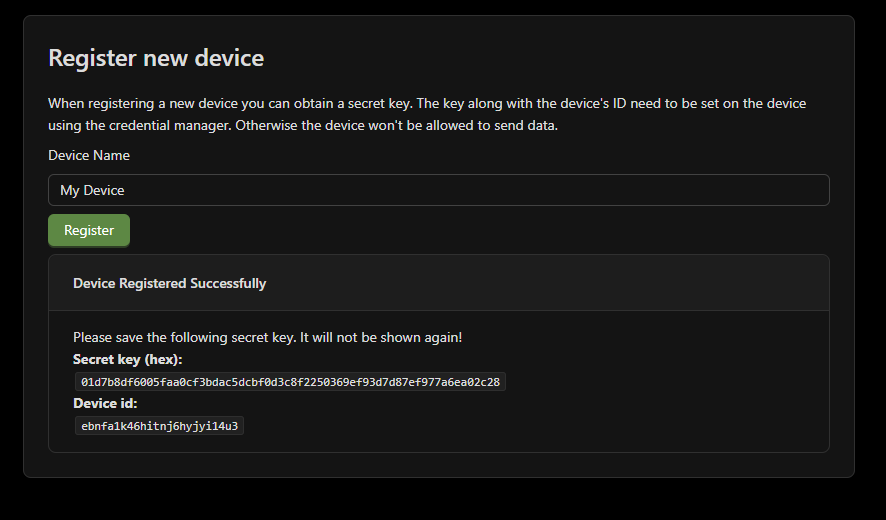
Enter a device name and hit "Register" to add a new device. Once you do this you will be shown the device's ID and its secret key. Make sure to copy the secret, it will only be shown once.
Revoking a device
You can revoke a device by hitting the "Revoke" button next to it in the devices list. This will prevent the device from being able to send any new data to the API.